A music engineer reached out to Five Star Data Recovery in a state of panic. He had been working on a project for a well-known recording artist — original recordings, layered audio sessions, production files representing months of irreplaceable work. It was all stored on a single Seagate Barracuda 2TB hard drive.
When the drive stopped responding, he did what a lot of people do: he searched YouTube.
Unfortunately, opening the drive introduced contamination and made recovery more complex.
What Arrived at Our Lab
As soon as we unpacked the Seagate Barracuda ST2000DM001, our technicians noticed the drive had already been opened. The cover screws were missing.
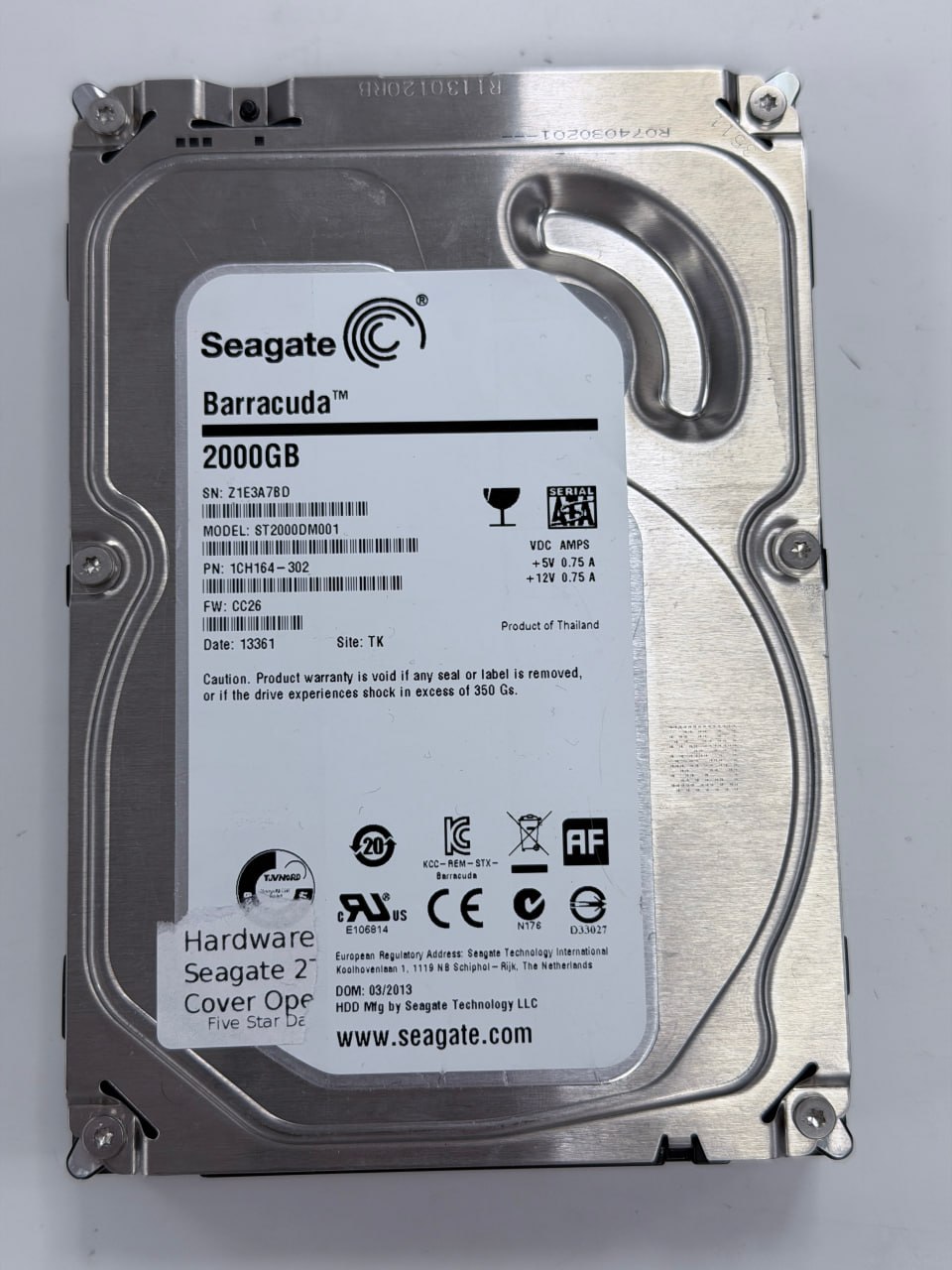
The drive as received: Seagate Barracuda 2TB (ST2000DM001, FW: CC26) — cover screws missing, previously opened outside a clean room.
The customer had attempted a DIY repair at home after watching YouTube tutorials. Hard drives are precision instruments manufactured in ISO Class 5 clean rooms — environments with fewer than 3,520 particles per cubic meter of air. Uncontrolled environments contain significantly more airborne particles, which can settle on internal components once a drive is opened.
The drive had also been powered on after being opened. Our technicians noted this, as it is a factor that typically increases the complexity of recovery work.
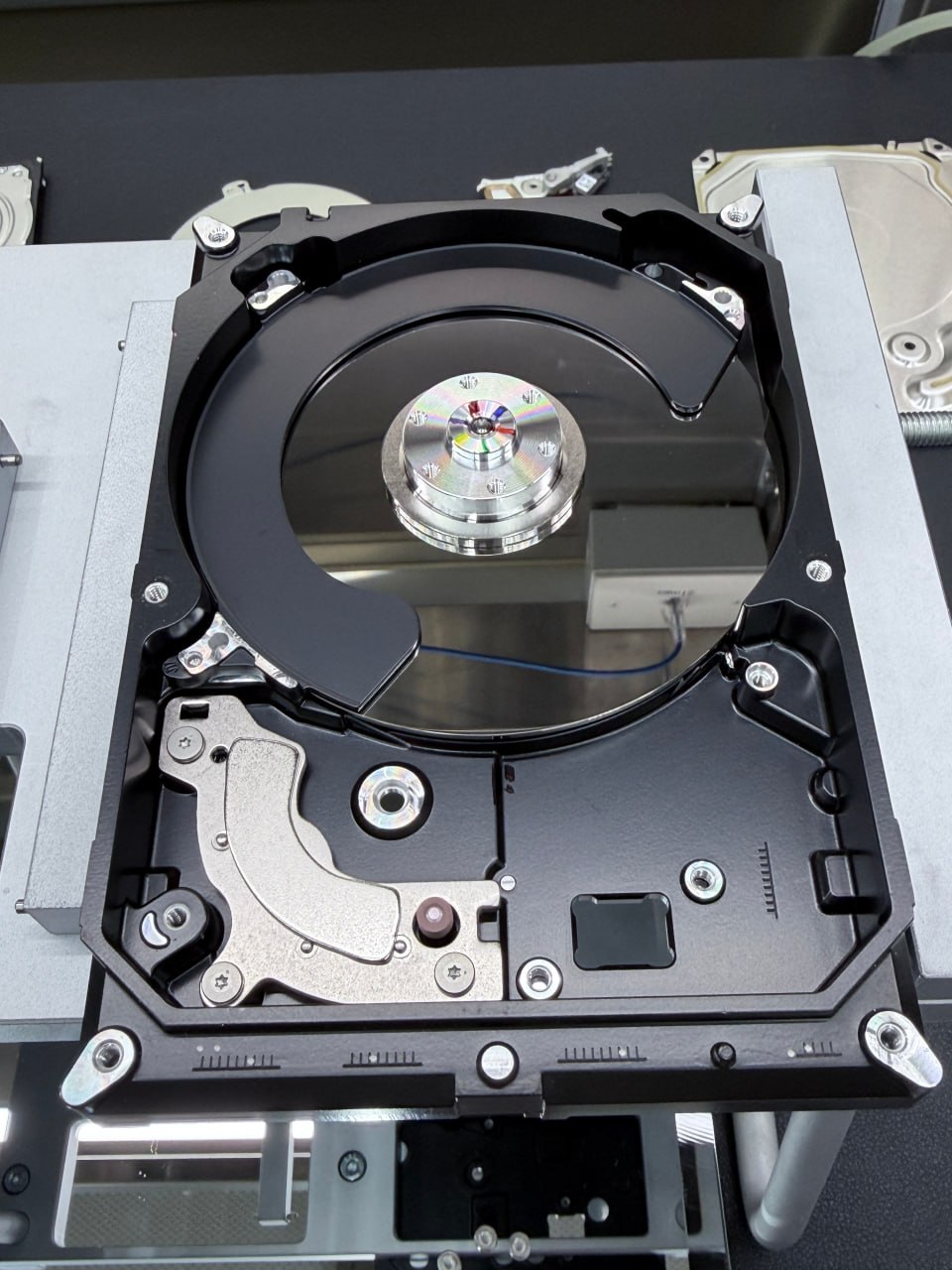
Our technicians opened the drive in our certified clean room — the only environment where this work can be done safely.
The Damage: What We Found Inside
Our technicians performed a full disassembly in our certified clean room: magnet removed, read/write heads carefully extracted, separator plate, ramp, and platters all taken apart piece by piece.
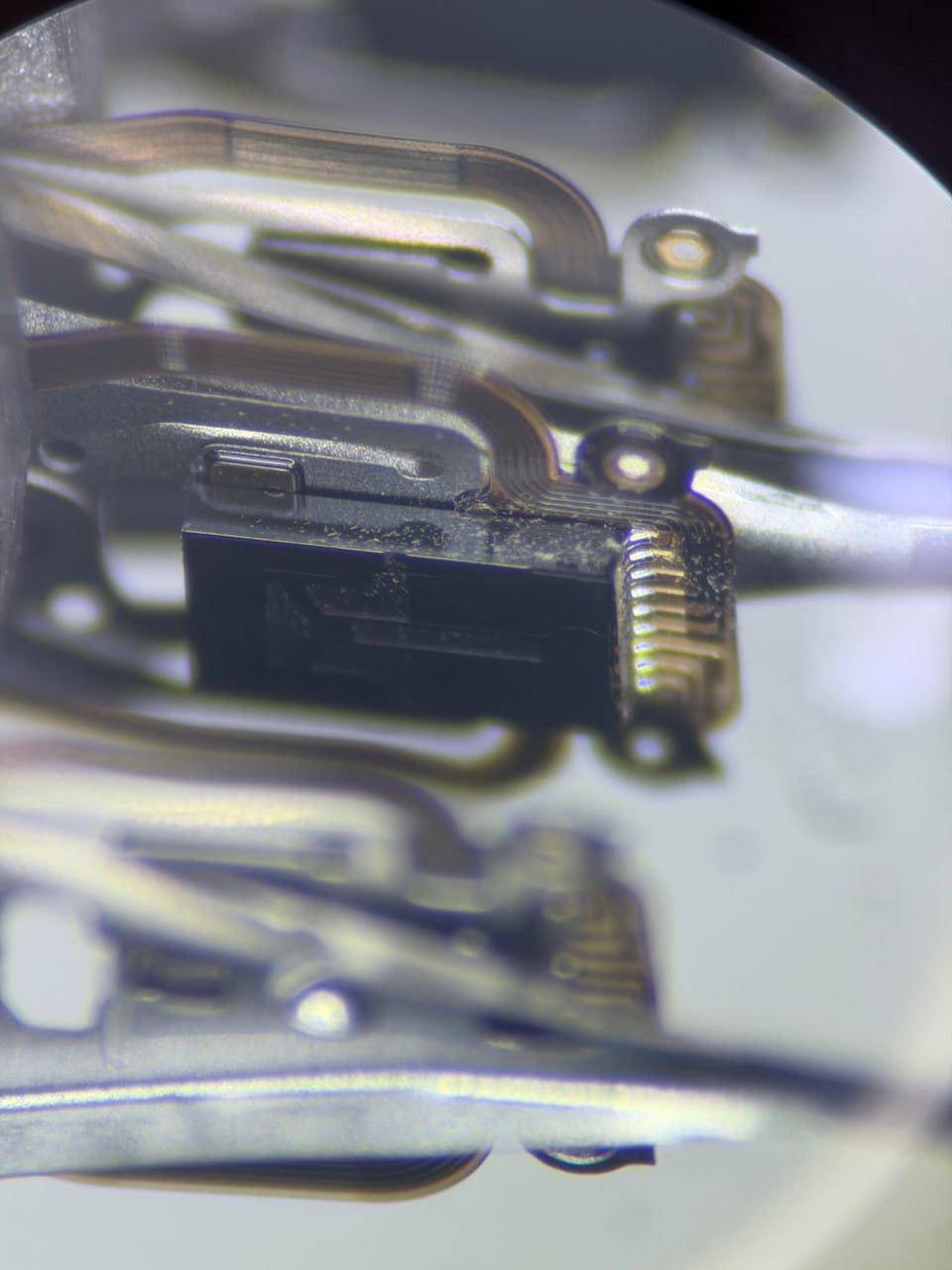
Under magnification, the contamination on the drive's read/write head slider was clearly visible. Dust particles at this scale — nanometers from the platter surface — can cause catastrophic head crashes.
What we saw was significant contamination throughout the drive interior — dust on the top surface, inside the casing, and most critically, visible contamination on the drive's sliders (the tiny components at the tip of each read/write head that "fly" nanometers above the platter surface).
When a hard drive is powered on in a contaminated state, the heads — which fly at a distance of roughly 3–5 nanometers above the platters — can drag particles across the platter surface during operation. This can cause further surface damage and increase the complexity of recovery.
The Scan: 1,071 Soft Hits
Before any cleaning or recovery attempt, we mount the platters onto our platter burnishing machine — specialized equipment used inside our clean room that scans every millimeter of the platter surface and maps contamination and damage in real time.
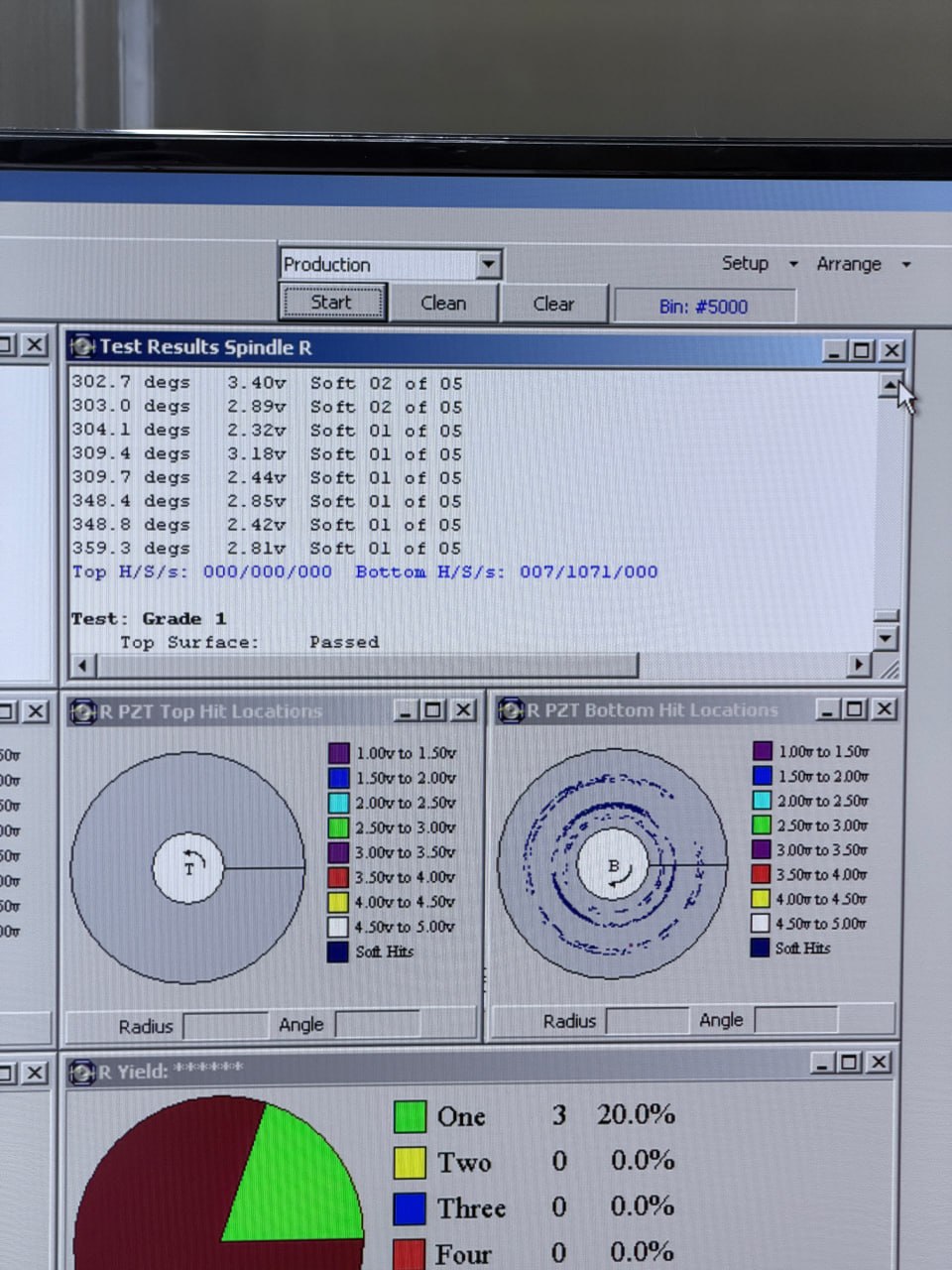
The top and bottom surfaces shown in this scan. Top surface: Passed (0/0/0). Bottom surface: 7 hard hits, 1,071 soft hits detected. Hard hits and soft hits are the burnishing machine's classifications for surface anomalies flagged during the scan pass.
The burnishing machine classifies surface anomalies into two categories: soft hits (lower-severity detections flagged during the scan) and hard hits (higher-severity detections). Both indicate areas the machine flagged as irregular. Over 1,000 soft hits on a single platter surface is a significant finding. Our technicians observed contamination throughout the drive interior consistent with the drive having been opened in an uncontrolled environment and subsequently powered on.
Our standard guidance for any drive failure:
If your drive stops responding, power it off and avoid restarting it. Further operation of a compromised drive can complicate recovery. The sooner you contact a professional lab, the more options remain available.
The Process: Platter Cleaning, Firmware Repair, and Head Replacement
Platter Burnishing and Cleaning
Each platter surface was cleaned using the burnishing machine — a process that uses precision-controlled media to remove contamination without damaging the underlying magnetic coating. After each cleaning pass, the machine rescans the surface to verify results.
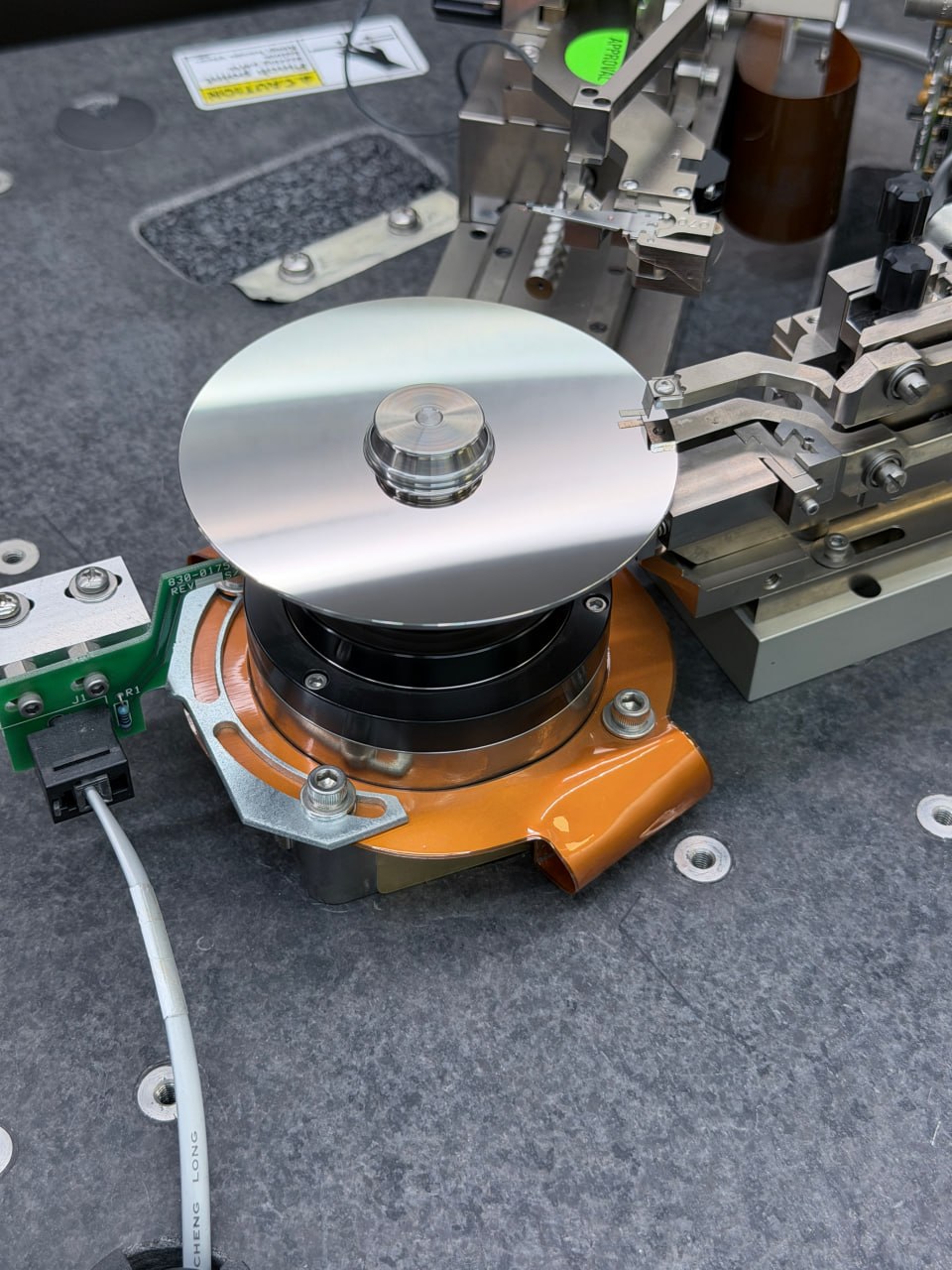
Platters removed and mounted on our burnishing machine. This equipment is used by hard drive manufacturers — it's not something you'll find at a typical repair shop.
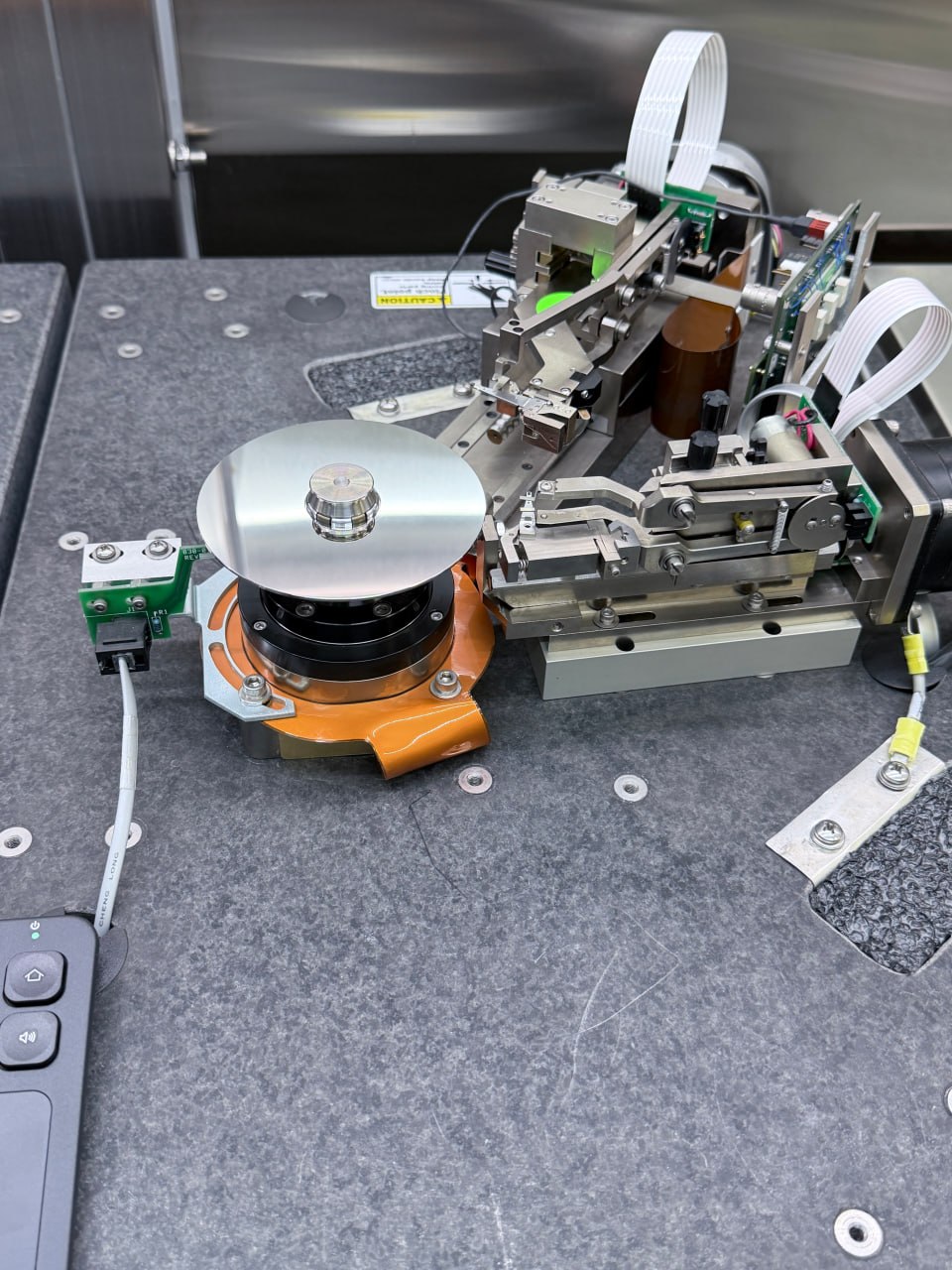
A wider angle showing the burnishing machine setup. We ran multiple cleaning passes until both platter surfaces cleared completely.
Post-Cleaning Scan: 000/000/000
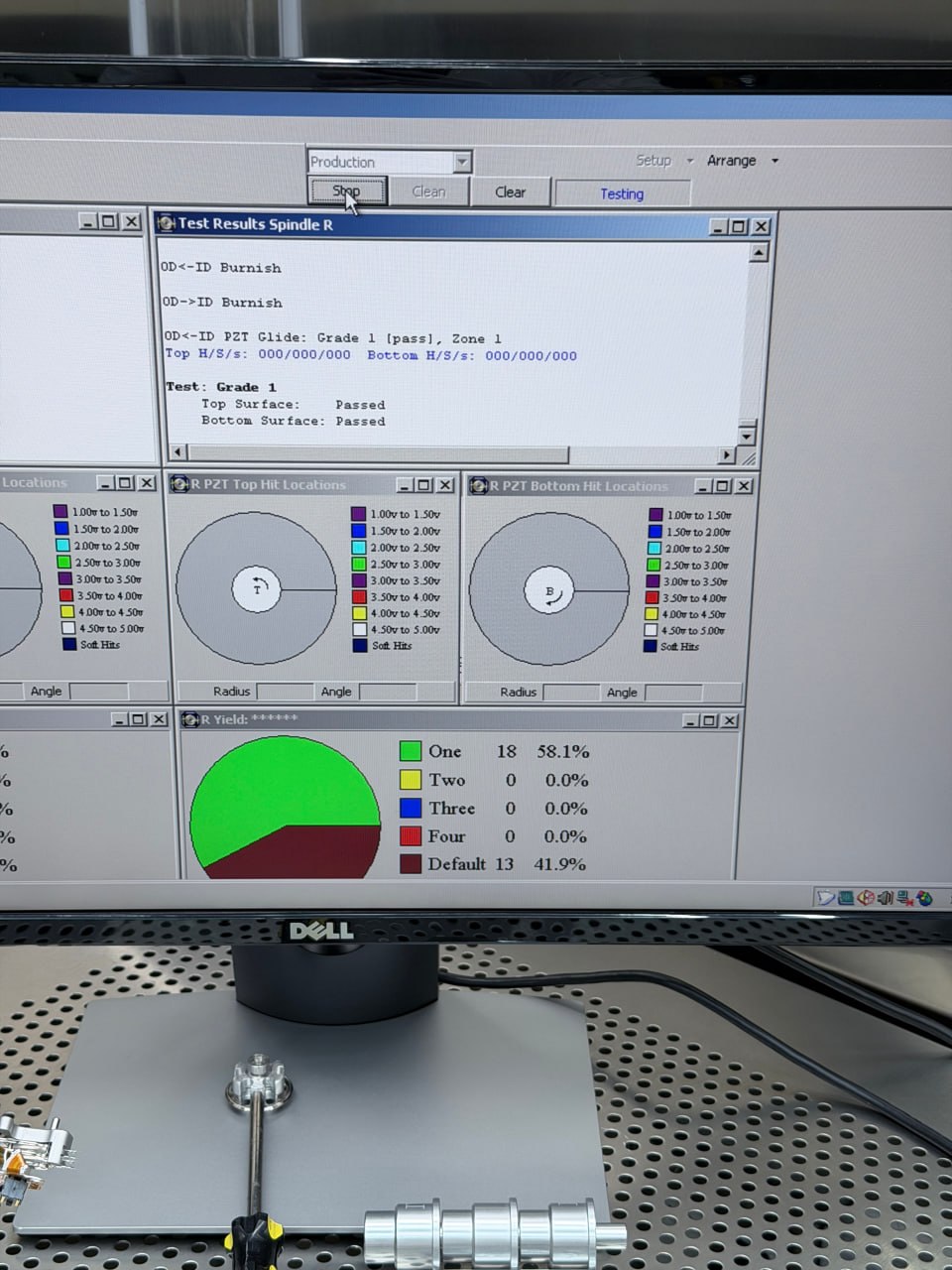
Post-cleaning scan: Top H/S/s: 000/000/000 · Bottom H/S/s: 000/000/000. Both surfaces returned zero detections. A zero reading means the machine detected no anomalies on that pass — it reflects cleared scan detections, not a statement about the underlying magnetic material.
A 000/000/000 result on both surfaces is the threshold our engineers look for before proceeding to reassembly. Additional cleaning passes are performed as needed, based on our engineers' assessment of each result.
Head Replacement and Firmware Repair
With the platters cleaned, we installed a new set of matched read/write heads and reassembled the drive. When powered on, our technicians observed firmware-level errors — the drive was not functioning normally at the firmware layer, independent of the physical contamination. Firmware issues of this type require a separate repair process. Learn more about hard drive recovery and the types of failures we handle.
Our engineers performed a full firmware repair at the module level, gaining access to the drive at the sector level — the raw data storage layer beneath the file system.
Imaging — 3 of 4 Heads Reading, One Struggling
With firmware repaired and the drive accessible, we began imaging — reading every sector and copying it to a recovery storage device. Three of the four read/write heads performed well. The fourth was struggling — likely due to residual damage from the contaminated state when the drive was first powered on.
Some areas required slower, more methodical reads. After imaging approximately 75% of the drive, we performed a second head replacement to give us the best possible read on the remaining sectors.
Result: a 95% complete image of the entire 2TB drive.
The Result: 1.2TB of Audio Recovered
From that image, our engineers were able to extract approximately 1.2TB of data, including audio recordings and project files. The 95% imaging figure refers to the percentage of drive sectors we were able to successfully read — the 1.2TB represents the recoverable file data extracted from those sectors.
The music engineer reviewed the recovered files and confirmed the key recordings were there. The referring computer repair shop had made the right call — when they assessed the situation, they recognized this required specialist equipment and sent the customer to us directly.
| Recovery Stage | Outcome |
|---|---|
| Platter burnishing (1,071 soft hits → 000/000/000) | ✅ Complete |
| Firmware repair | ✅ Complete |
| Head replacement (×2) | ✅ Complete |
| Drive imaging | 95% successfully imaged |
| Data recovered | ✅ 1.2TB — Audio + project files |
What This Case Teaches Us
Hard drives require a clean room environment for internal work.
Hard drive manufacturers build these devices in ISO-certified clean rooms for good reason — internal components operate at extremely tight tolerances. If your drive needs to be opened, that work should be done in a controlled environment with proper equipment. If your drive has already been opened elsewhere, that's okay — we handle those cases regularly and will give you an honest assessment of where things stand.
If your drive stops working, power it off and leave it off.
Continued operation of a failing drive — particularly one that may have been exposed to contaminants — can complicate recovery. If you're unsure whether your drive has a physical or logical issue, the safest step is to stop using it and have it evaluated. A clicking or grinding drive especially should not be powered on again without professional guidance.
Recovery software is not appropriate for all failure types.
Software-based recovery tools work well for logical failures — accidental deletion, corrupted file systems. If your drive has a hardware failure, running software on it may complicate the recovery. When in doubt, start with an initial consultation — we can help you understand what type of failure you may be dealing with before any work begins.
What to do if your drive has failed:
- Power it off and set it aside.
- Don't attempt further diagnosis if you hear clicking, grinding, or the drive isn't recognized.
- Contact a professional lab for a free evaluation — the earlier, the more options are available.
- If the drive has already been opened or worked on, let the lab know — it's important context, and we handle those cases too.
Has Your Drive Been Opened or Worked On?
We work on drives in all conditions — including those previously opened or worked on elsewhere.
If your drive has been opened, powered on after a failure, or returned from another lab unrecovered, we can evaluate it. Our engineers will assess the current state and give you an honest picture of what recovery looks like from here — before any work begins.
We have the equipment for platter burnishing, firmware-level repair, and advanced head transplants. Cases like this are within our normal scope of work.
We don't make promises before evaluating a drive. We do promise a thorough assessment, transparent communication, and no charge if recovery isn't possible.
⚡ Initial consultations available 24/7 by phone · Nationwide mail-in service available · No recovery, no charge
Case study published with customer permission. Client identity and project details protected.