A production company based in New York had just wrapped a 15-day narrative shoot. They'd invested heavily in the right gear — Sony Venice cameras, shooting native X-OCN at 8632×4856. Raw, pristine, irreplaceable.
Then the footage disappeared.
When Every Other Option Is Gone
Not all of it. But 35 files across three 24TB Seagate drives — entire days of the shoot — were gone.
They went to one data recovery firm. No luck. They went to a second. Same result. A third. Nothing. Each lab looked at the drives and either turned them away or returned them in the same condition they arrived: footage missing, no path forward.
So they did something most people only do as a last resort. They put the drives in a bag, bought a plane ticket, and flew from New York to California to hand-deliver them to us in person.
That's how bad it was. And that's why we knew we couldn't give them the same answer everyone else had.
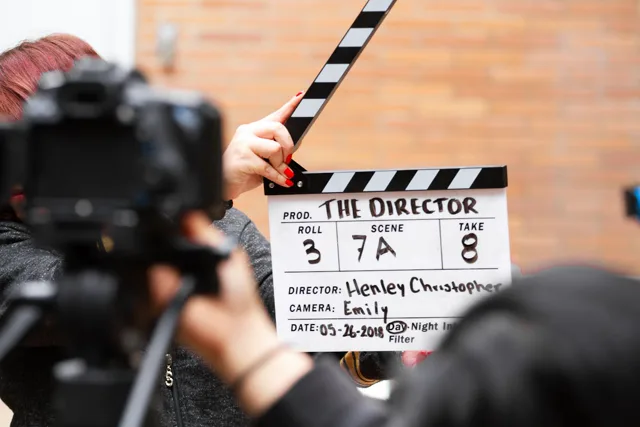
Three labs had already failed. A production company flew their drives from New York to our California lab as a last resort.
What Happened: A Chain of Errors That Compounded Into a Crisis
To understand how we solved this, you have to understand how it broke. Because this wasn't a single point of failure. It was a cascade — each decision made in good faith, each one making the next step harder.
The Setup
The DIT on this shoot was using a standard, responsible backup strategy: two Seagate 24TB drives synchronized continuously. Mirror each day's shoot. Redundancy built in. It's the right call — on paper.
The Power Loss
Midway through the shoot, a power loss hit. Both drives were mid-write during an active sync operation when everything cut. Both drives unmounted uncleanly. When power returned, neither drive would mount. The filesystem structures on both drives were in an inconsistent state — some file entries intact, others pointing to corrupted or shifted data, others pointing nowhere at all.
The First Aid Decision
The DIT opened Disk Utility and ran First Aid on both drives. We understand why. First Aid is what macOS tells you to do. It's built into the operating system. It sounds like the right move.
Here's what actually happened: First Aid scanned both drives, found filesystem inconsistencies it couldn't cleanly reconcile, and resolved them the only way it knows how — by marking uncertain file space as free and available. Some of the files it cleared had corrupted directory entries but intact data underneath. First Aid couldn't see that. It just cleaned up what looked like garbage. The drives remounted. Some files were gone.
The Critical Missing Piece
The DIT had new footage coming in. Days 12, 13, 14, 15 of the shoot still needed backing up. The drives were now mounting. They showed available space. So he used them.
New footage was written directly onto the drives — occupying sectors that had belonged to the missing clips. This is the part that the other three labs couldn't get past. When data is overwritten, the common industry assumption is that it's gone. Full stop.
By the time the drives reached us, we were looking at three categories of files: intact files (unaffected), structurally damaged files (container headers corrupted, data present), and partially overwritten files (some segments intact, some replaced by new footage data). Thirty-five files missing. Three labs had already looked and walked away.
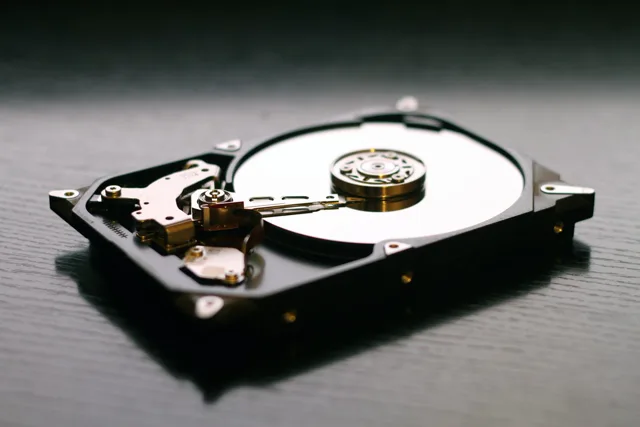
Three 24TB Seagate drives — two of which had new footage written over the missing clips before reaching us.
Why This Is Video File Repair — Not Data Recovery
This distinction matters, and most labs miss it.
Traditional data recovery tools are looking for file signatures — magic bytes, known headers — and trying to reconstruct file system references. That approach works for JPEGs, documents, even standard H.264 video. It breaks down completely when you're dealing with Sony X-OCN.
X-OCN (Extended tonal range Original Camera Negative) is Sony's proprietary raw capture format, built for the Venice sensor. It's not a simple container with a header and a stream. It's a complex, multi-layer structure:
- Frame containers with individual metadata per frame
- Color science baked at the capture level
- Precise interleaving of video and audio components
- Codec dependencies that require understanding the format at a forensic level — not just finding its magic bytes
When an X-OCN file has a corrupted container structure, you don't just 'extract' it. You have to reconstruct the frame hierarchy, verify the codec stream against known Venice output characteristics, and rebuild the container metadata from what remains. That's not recovery. That's video file repair.
And when segments of that file have been overwritten by new data? You have to identify exactly where the overwrite begins, determine what's still intact before and after the overwrite boundary, and decide whether those segments can be reconstructed into a usable file — or whether the damage is too deep.
That's work that requires domain expertise in video codecs, not just drive forensics. It's why three labs failed. They were looking at the problem as a storage problem. We looked at it as a video problem.

Three labs had already turned them away. By the time the drives reached us, they were out of options.
Our Recovery Process
Drive Imaging and Triage
Before touching anything, we created forensic sector-by-sector images of all three drives. Nothing we do ever touches the originals. This is non-negotiable — and it's also likely why some of the earlier recovery attempts failed. Any write operation to a damaged drive, any additional First Aid pass, any mounting in read-write mode further erodes what's recoverable. We image first, always.
With clean images in hand, we began triage: cataloging every file reference, mapping out which sectors had been written by new footage, identifying the boundaries of the overwrite zones, and cross-referencing filesystem metadata against raw sector patterns to locate X-OCN frame structures that no longer had valid directory entries pointing to them.
X-OCN Container Reconstruction
For the structurally damaged files — files where the data was present but the container metadata was corrupted — we rebuilt the container structures. Sony X-OCN has a specific architecture. We analyzed the known-good files on the same drives for reference patterns, then used those patterns to reconstruct the damaged containers frame by frame.
24 files came back from this process completely intact. Playable. Full resolution. Every frame present.
Partial Recovery of Overwritten Files
The remaining 11 files were the hard problem. These were files where new footage had been written into sectors that previously belonged to missing clips. The overwrite wasn't uniform — in most cases, new data had landed in the middle or at the end of the original file, with the beginning still intact on disk.
For each of these 11 files, we identified the intact segments, reconstructed what was recoverable, and delivered the partial files with precise documentation of where each file was complete and where the overwrite boundary began. In a case like this, even a partial recovery matters enormously — a scene that's 80% intact may still be usable, especially with the right editorial workaround or pickup shoot for a few key moments.
Eleven files partially recovered. Not a single file returned blank.
24 files fully recovered. 11 partially recovered. Zero files returned blank.
The Results
| Category | Files | Outcome |
|---|---|---|
| Full Recovery | 24 | 100% intact — every frame, full X-OCN fidelity |
| Partial Recovery | 11 | Recoverable segments delivered with overwrite documentation |
| Unrecoverable | 0 | Every file returned something |
What Every Production Team Needs to Learn
We're not telling this story to embarrass anyone. The DIT on this shoot made the decisions most people would make. He ran First Aid because that's what you do. He kept backing up because the shoot had to continue. None of those decisions came from negligence. They came from not knowing.
Power loss on a mid-write drive is a forensic event, not a tech support ticket.
Stop. Do not run First Aid. Do not mount the drive in read-write mode. Do not attempt to copy files off it. Call a specialist before you touch anything.
First Aid is not a data recovery tool.
It is a filesystem repair utility. It does not know what your files contain. It does not know that the 'inconsistency' it's clearing is actually a Sony X-OCN frame structure with recoverable data beneath a corrupted directory entry. It clears. That's what it does.
Writing new data to a damaged drive is the point of no return.
Once new data occupies sectors that belong to missing files, those sectors are gone. You may still recover partial files — as we did here — but every byte written reduces what's salvageable. If drives are damaged, they go offline immediately and stay offline until they're in a specialist's hands.
Not all labs are equal for video file repair.
Standard data recovery tools are not built for X-OCN, ARRIRAW, BRAW, R3D, or other professional camera formats. If a lab doesn't understand the codec, they can't repair the container. A failed attempt from a general recovery lab doesn't mean the footage is gone — it may mean you haven't reached the right specialist yet.
Distance is not a barrier.
This production company flew drives from New York to our lab in California. We work with clients across the country and internationally. If the footage is irreplaceable, logistics are a solvable problem.
Has This Already Happened to You?
Stop everything. Stop running tools. Stop mounting drives. Stop trying things.
The single most important move you can make right now is to stop adding variables to the problem. Every tool you run, every mount attempt, every copy operation changes the state of the drive and potentially reduces what's recoverable.
Then call us.
We specialize in video file repair for professional camera formats — Sony Venice X-OCN, ARRIRAW, Blackmagic RAW, RED R3D, MXF, and more. We work with production companies, post facilities, forensic investigators, and individual filmmakers. We've recovered footage that three other labs declared unrecoverable.
We don't promise miracles. We promise expertise, forensic discipline, and a straight answer about what's actually possible — before we touch anything.
Five Star Data Recovery
Contact us before you try anything else. The footage that looks gone may not be.
⚡ Available 24/7 for emergency forensic consultations
Case details anonymized to protect client confidentiality. Technical specifications and recovery outcomes are accurate.