
Why Toshiba Hard Drives Stop Working
Toshiba drives are durable, but they're not immune to problems. Some of the most common reasons a Toshiba external hard drive is not working include:
- Power issues related to a faulty USB port or cable
- File system errors or corrupt partitions
- Disk drive not assigned a proper letter in disk management
- Physically damaged components from drops or overheating
- Internal wear and tear or mechanical failure
- Errors after being accidentally deleted or formatted
Signs Your Toshiba Drive Needs Recovery
If you notice any of the following issues, it's time to consider professional help:
- The device powers on, but the drive doesn't show up on your computer
- Your system asks to format the drive when connected
- The drive shows up in disk management but without a label
- You're unable to assign a drive letter and paths
- Clicking or buzzing noises from inside the Toshiba HDD
- Slow response, freezing, or missing folders
- You accidentally deleted files you now need back
What Not to Do If Your Toshiba External Drive Fails
Many users try DIY methods to fix Toshiba external drives using free recovery software or YouTube tutorials. But if your drive is physically damaged or not detected at all, using these tools could permanently overwrite or destroy recoverable data. Avoid these risky steps:
- Don't open the drive casing yourself
- Don't run "chkdsk" or format utilities if the drive is unreadable
- Don't continue reconnecting the drive to different ports repeatedly
- Don't use system tools if you hear clicking or buzzing noises
Our Toshiba Data Recovery Process
We take every case seriously and follow a step-by-step recovery plan:
Diagnostic Assessment
We begin by inspecting your Toshiba hard disk to determine whether the issue is logical, physical, or firmware-related.
Secure Imaging
If the drive is unstable, we clone it sector-by-sector to avoid damaging the original.
Data Extraction
Using specialized tools, we extract files from the cloned image—even from corrupted sectors or formatted volumes.
File Verification
You'll receive a file list to review. We recover full folder structures, filenames, and file types whenever possible.
Data Delivery
Recovered data is returned on a new drive or USB, fully tested and verified.
Types of Toshiba Drives We Recover
We service all major Toshiba HDD and SSD models, including:
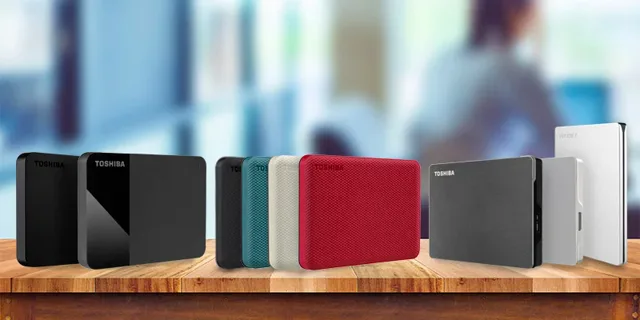
- Canvio Basics and Canvio Advance drives
- Toshiba desktop backup drives
- Toshiba internal SATA hard drives
- USB-powered portable drives
- External RAID enclosures and encrypted devices
The data recovery cost can vary depending on the type of drive and the issue involved. After a full diagnostic, we'll provide a clear, flat-rate quote based on the specific device and recovery scenario.
Recovery for Physically Damaged Toshiba Drives
If your Toshiba hard disk was dropped or suffered impact, recovery often requires cleanroom work. Our technicians can:
- Replace failed read/write heads
- Repair damaged PCBs and firmware
- Realign components after physical shock
- Extract data from broken platters or enclosures
Physically damaged drives should never be powered on repeatedly. Doing so increases the risk of scratching platters or further degrading the drive.
Why Choose Five Star Data Recovery?
- Cleanroom-certified repair environment
- Transparent, flat-rate pricing
- Free diagnostics and "no data, no charge" policy
- Real-time updates throughout the process
- Trusted by businesses, creatives, and individuals nationwide
What Types of Files Can Be Recovered?
One of the most common questions we receive is whether we can recover specific file types. The good news is yes—we support virtually every common file type stored on Toshiba drives, including:
- Photos: JPG, PNG, TIFF, RAW
- Videos: MP4, MOV, AVI, MXF
- Documents: DOCX, PDF, XLSX, PPTX
- Emails and archives: PST, OST, ZIP, RAR
- Design files: PSD, INDD, CAD formats
Whether you're a photographer, business owner, or student, we can help recover everything from lost data to entire project folders.
How to Troubleshoot a Toshiba Drive (Without Risk)
There are a few safe steps you can try if your Toshiba drive stops working:
- Try a different USB port or cable
- Check disk management to see if the drive appears
- Use Change drive letter and paths to assign a letter
- Restart your computer and reconnect the device
If none of these work—or if you hear noises—stop immediately. Attempting too much on your own could overwrite or damage your data permanently.
Why Timing Matters in Data Recovery
The moment your Toshiba external hard drive is not working, every action you take can influence the outcome. Continuing to power the device on, scan it, or reformat it can make recovery harder—or impossible. By contacting us early, we have the highest chance to recover your data fully. This is especially true in cases involving:
- Bad sectors or firmware corruption
- Physically damaged heads or platters
- Deleted file systems or accidental reformatting
Act fast, and you give your data the best chance of survival.
Nationwide Service with Free Shipping
Although we're based in Los Angeles, we serve clients across the U.S. We provide free round-trip shipping for Toshiba drive recovery cases. Simply start a case online, print the prepaid shipping label, and send your storage device to our lab. Once your case is complete, your lost data is returned securely.
Don't let data loss from a broken Toshiba HDD derail your work or memories. Whether your Toshiba external hard drive is not working, or you've suffered file corruption or deletion, we can help.
- Free diagnostic — no obligation
- Flat-rate pricing — no hidden fees
- No Data, No Charge (most cases)
- Free round-trip shipping nationwide